Creative-control line art
AI Line Art Generator Built for Creative Control
ProTrace turns a reference image into purposeful line art you can direct—not a one-click edge map. Choose how much structure and detail the result should carry, then refine it for your own process.
Create your first outline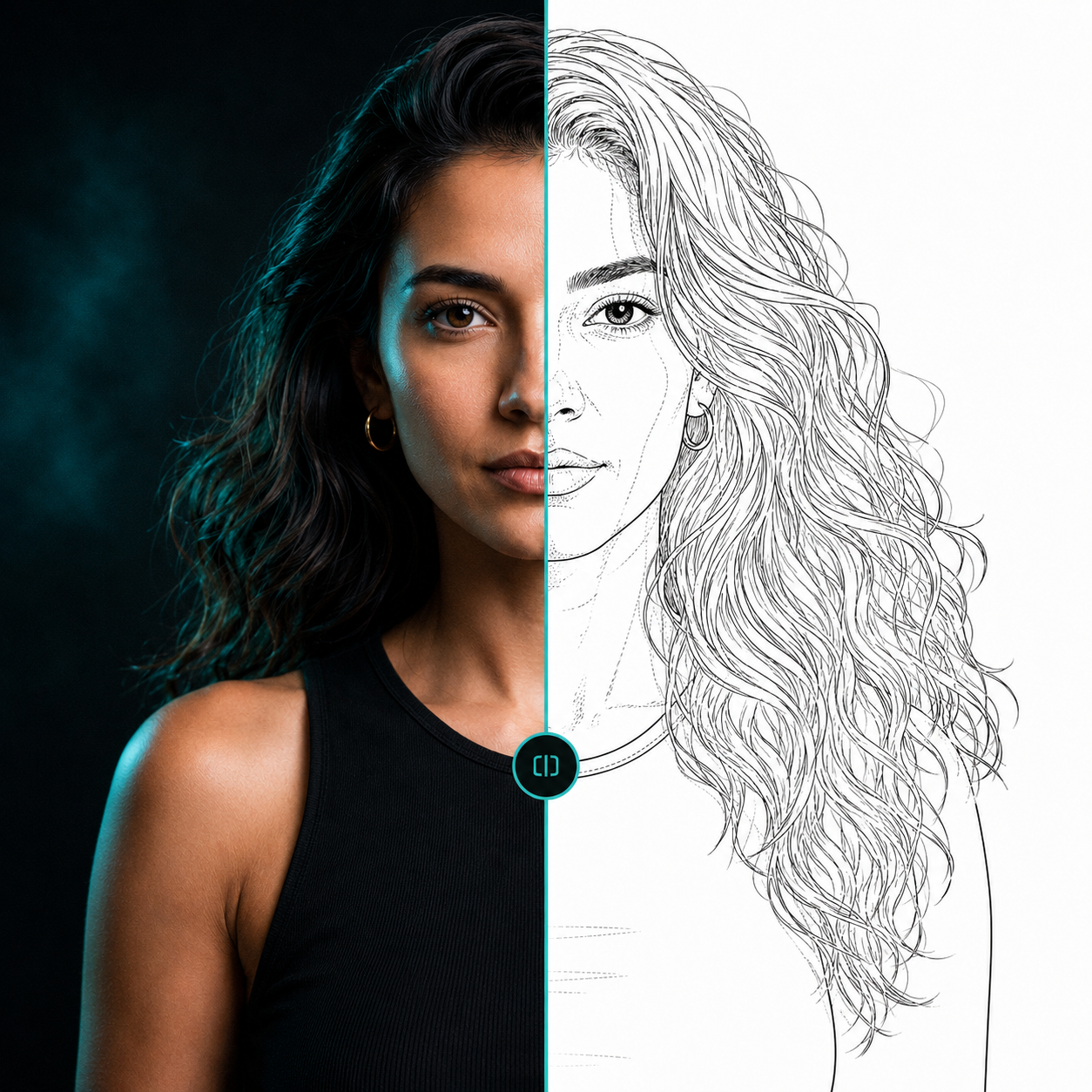 ReferenceLine-art direction
Direct the line information
Primary line weight sets the visual presence of the tracing. Facial detail helps preserve identity-relevant landmarks, while organic detail gives hair, petals, leaves, fur, and other flowing forms more attention.
Secondary detail and fidelity let you decide how closely the generated linework follows useful features in the reference. Shading-zone markings can indicate tonal boundaries without trying to reproduce every pixel.
Made for a working creative process
Use ProTrace as a starting point for drawing studies, concept preparation, tattoo artwork, illustration, and other reference-led projects. Inspect the output, make your own artistic decisions, and export the version you want to continue with.
Questions, answered
Useful context before you start.
What does an AI line art generator do?
It translates a reference image into line-based artwork. ProTrace focuses on meaningful structure and adjustable detail rather than simply detecting every contrast edge.
Can I control the amount of detail?
Yes. ProTrace includes controls for facial, organic, secondary detail, fidelity, and line character.
Start with your reference
Spend less time tracing and more time creating.
Related pages