For tattoo artists
AI Tattoo Stencil Generator for Working Artists
ProTrace helps turn portrait, animal, floral, and design references into linework for further artistic preparation. It is a creative starting point—not a substitute for professional review and drawing decisions.
Create your first outline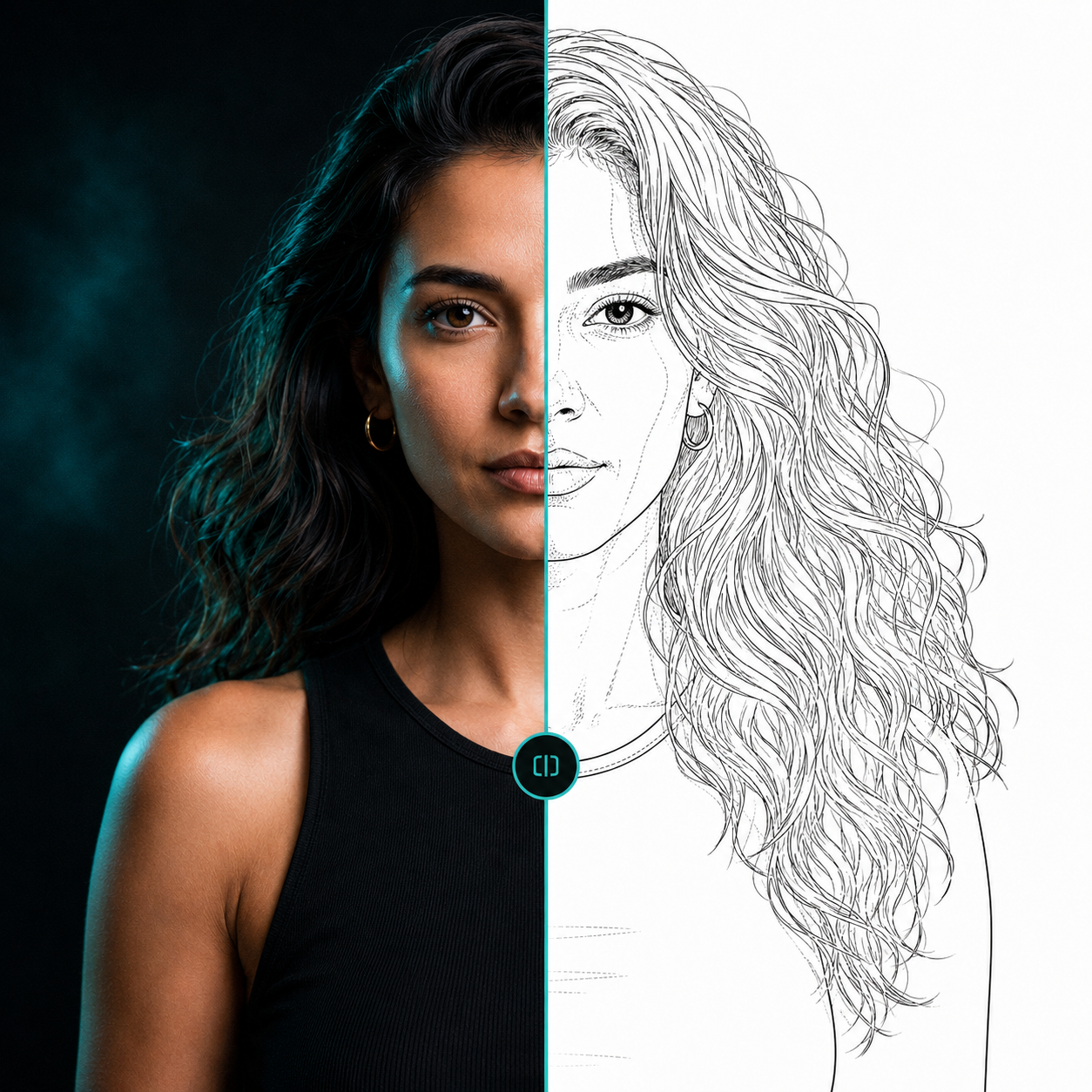 ReferenceLine-art direction
Preserve what the design needs
Select a line weight, then use facial detail for portrait landmarks, organic detail for hair and floral forms, and secondary detail for supporting information. Fidelity controls how closely the result follows useful structure in the source.
Shading-zone markings can help identify tonal boundaries in a reference. Review the result carefully and prepare it within your normal artistic workflow before any application.
Why simple filters fail
A contrast filter cannot distinguish a meaningful facial contour from incidental texture or a shadow edge. ProTrace is designed to create a more purposeful line-art direction that you can inspect and refine.
Questions, answered
Useful context before you start.
Can AI make tattoo stencil linework from a photo?
AI can translate a photo into simplified linework for further artistic preparation. The result should be reviewed for landmarks, composition, clarity, and suitability before use.
Can I adjust portrait and organic detail?
Yes. ProTrace includes separate controls intended for facial landmarks and flowing organic forms.
Start with your reference
Spend less time tracing and more time creating.
Related pages