Portrait reference
Create a Portrait Tattoo Stencil From a Photo
Portrait work depends on which details carry identity. ProTrace gives you a way to direct facial and organic information before generating a line-art starting point for further artistic preparation.
Create your first outline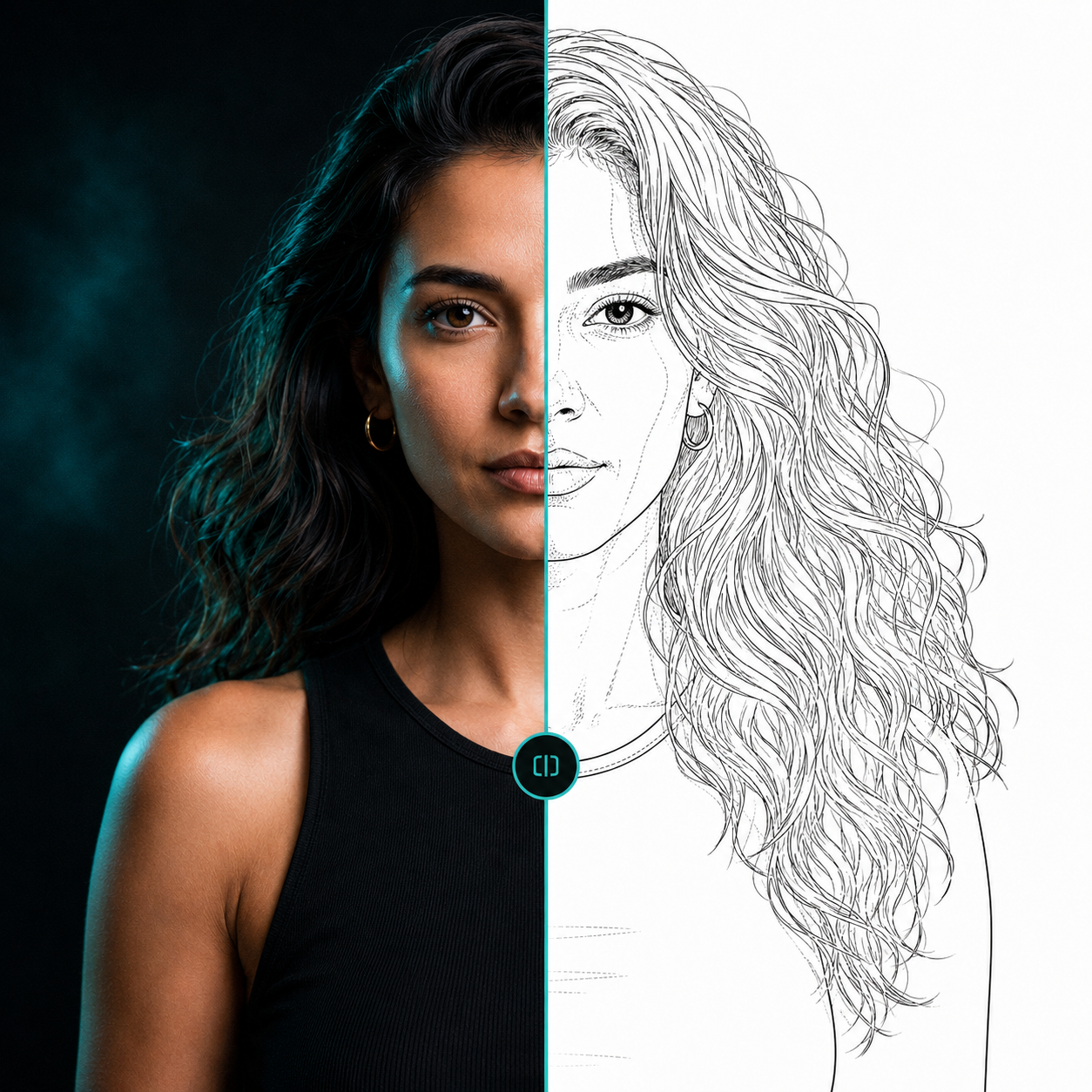 ReferenceLine-art direction
Keep identity-relevant structure in view
Eyes, nose, mouth placement, natural asymmetry, and the relationship between facial features matter more than random photographic texture. Facial detail is intended to help you direct attention toward these landmarks.
Organic detail can help when hair, beards, flowers, and other flowing forms need more useful contour information. Fidelity and shading-zone markings help you decide what remains visible in the result.
Inspect before you continue
Threshold filters frequently exaggerate shadows and miss structural priorities on faces. Treat the generated outline as a reviewable direction, then make the adjustments needed for your own artistic standard.
Questions, answered
Useful context before you start.
Why are portraits difficult for outline filters?
Faces contain subtle tonal changes and identity-relevant landmarks. A contrast-only filter may prioritize texture or shadows instead of the facial structure an artist needs.
What should I check in a portrait outline?
Review feature placement, recognizable proportions, hair contours, composition, and any detail that is important to the person’s likeness.
Start with your reference
Spend less time tracing and more time creating.
Related pages