Product guide
How ProTrace Turns Photos Into Customizable Line Art
ProTrace is a browser-based creative tool for translating reference images into line-art interpretations. It is designed for artists who need control over what the outline keeps, simplifies, or emphasizes.
Create your first outline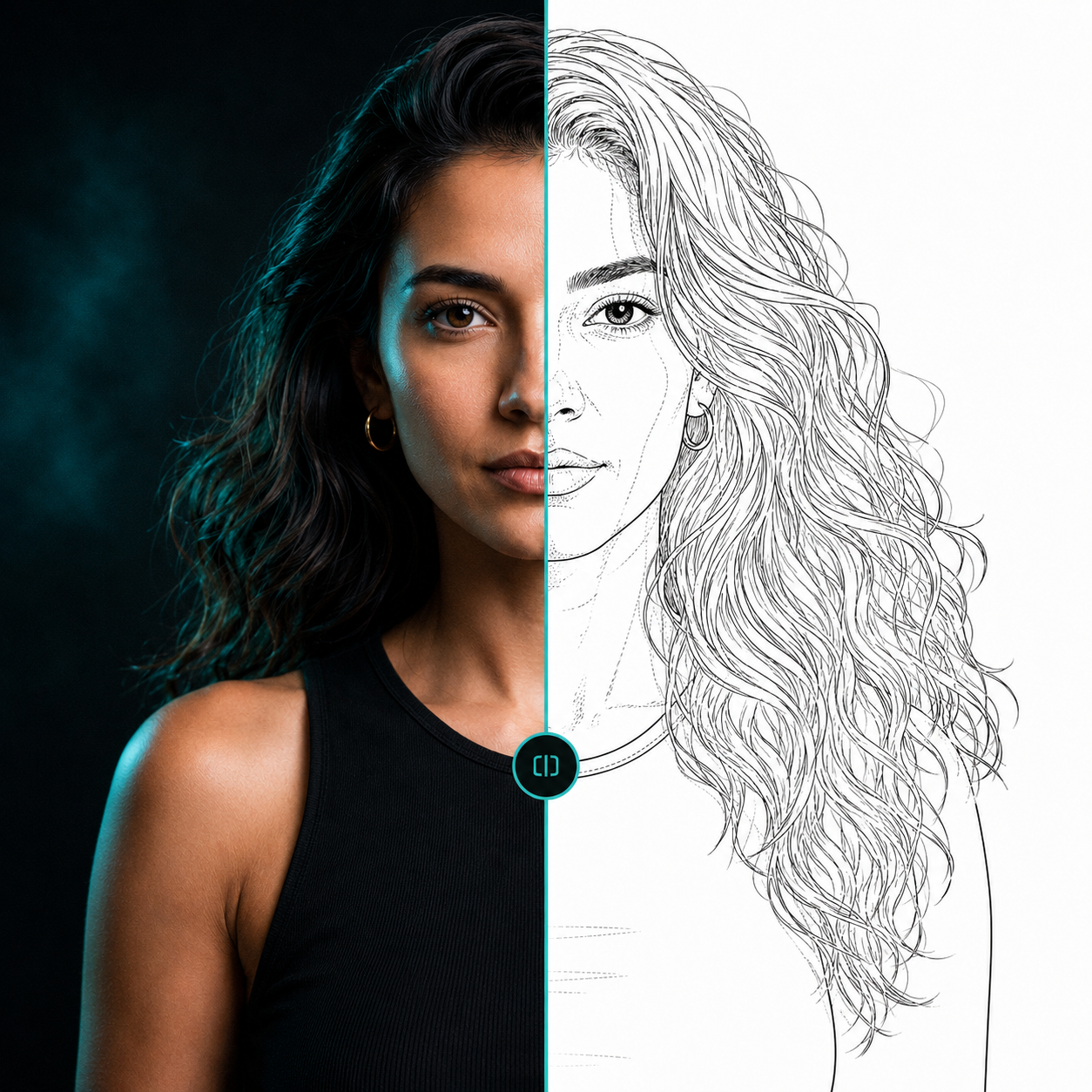 ReferenceLine-art direction
The ProTrace workflow
Upload a JPG or PNG reference. Adjust its crop, light, or color if needed. Set the desired line and detail direction. Generate an outline, compare it with the reference, and save or export the version you want to continue with.
The controls are designed to help direct useful line information: primary line weight, facial detail, organic detail, secondary detail, fidelity, and optional shading-zone markings.
How it differs from an outline filter
An outline filter detects contrast boundaries and reproduces them as edges. ProTrace is designed to interpret meaningful structure, suppress less-useful photographic texture, and create linework an artist can direct and refine.
Formats and handling
ProTrace accepts JPG and PNG reference images in the editor. Results can be downloaded through the product’s export flow. Unsaved session images are temporary; saved library items can remain longer subject to plan limits and your deletion choices.
Questions, answered
Useful context before you start.
What is ProTrace?
ProTrace is an AI-assisted image editor for creating customizable line art and outlines from reference images.
What does fidelity control?
Fidelity helps direct how closely the generated linework follows useful structure in the source reference.
What are shading-zone markings?
They are optional line markings intended to indicate tonal or gradient boundaries in the reference.
Which images work best?
References with a clear subject, readable lighting, and useful separation between important forms are generally easier to direct.
Start with your reference
Spend less time tracing and more time creating.
Related pages